Prepare the spreadsheet
Use CSV or XLSX for supported Adobe Commerce entities, with import behavior filtered to the work the extension supports.
BulkPort Pro gives store teams and agencies a safer way to move catalog, customer, order, and pricing data through CSV/XLSX jobs that can be queued, processed, checked, and retried.
Workflow
BulkPort Pro is built for the work that becomes expensive when it fails: store migrations, catalog corrections, customer data updates, order movement, and repeat agency rollout tasks.
Use CSV or XLSX for supported Adobe Commerce entities, with import behavior filtered to the work the extension supports.
Chunked uploads and worker processing move the job out of the fragile single-request flow.
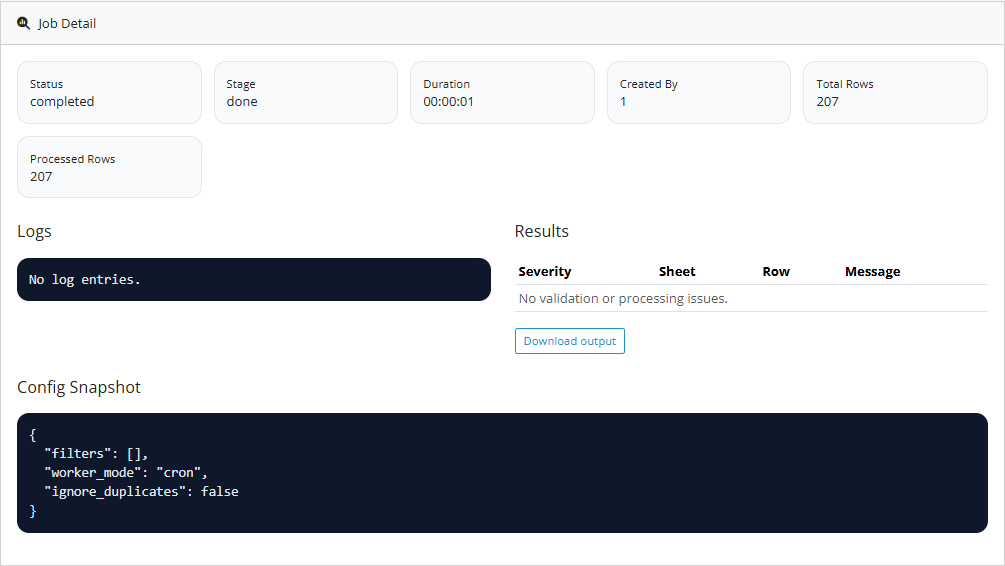
Track status, download results, clean up old files, and use reports to fix the rows that need attention.
Why buyers care
Potential customers do not just need another importer. They need a workflow that makes big spreadsheet jobs less risky for the people responsible for keeping the store running.
Large files are handled through chunked uploads and queued processing.
Downloadable outputs and error reports make failed rows easier to isolate.
Saved profiles, job history, and managed install support help implementation teams standardize client rollout.
Job status and reports give teams something concrete to inspect when a data job needs follow-up.
Supported work
Start with the repeat bulk workflows that create the most friction for merchants and agencies.
Product proof
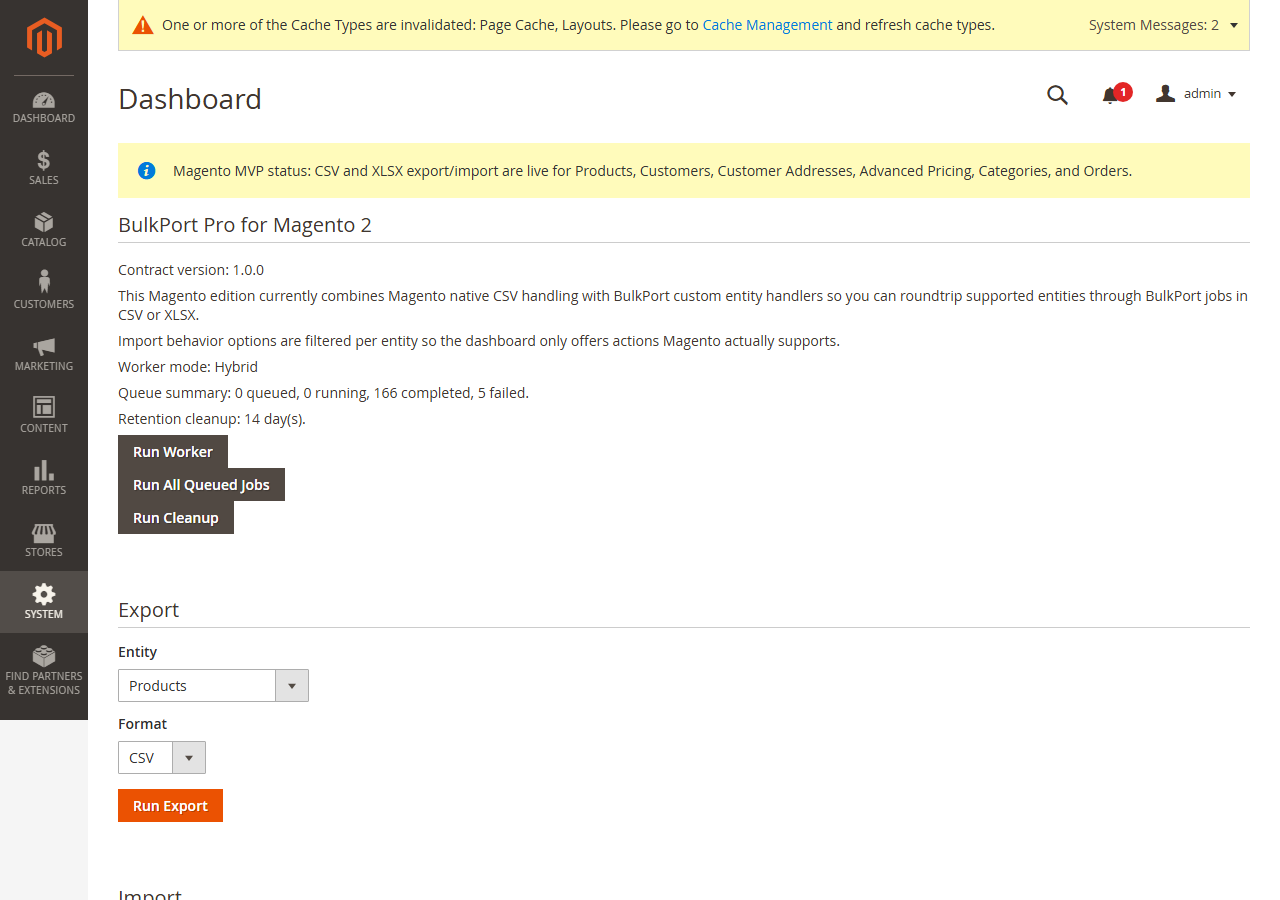
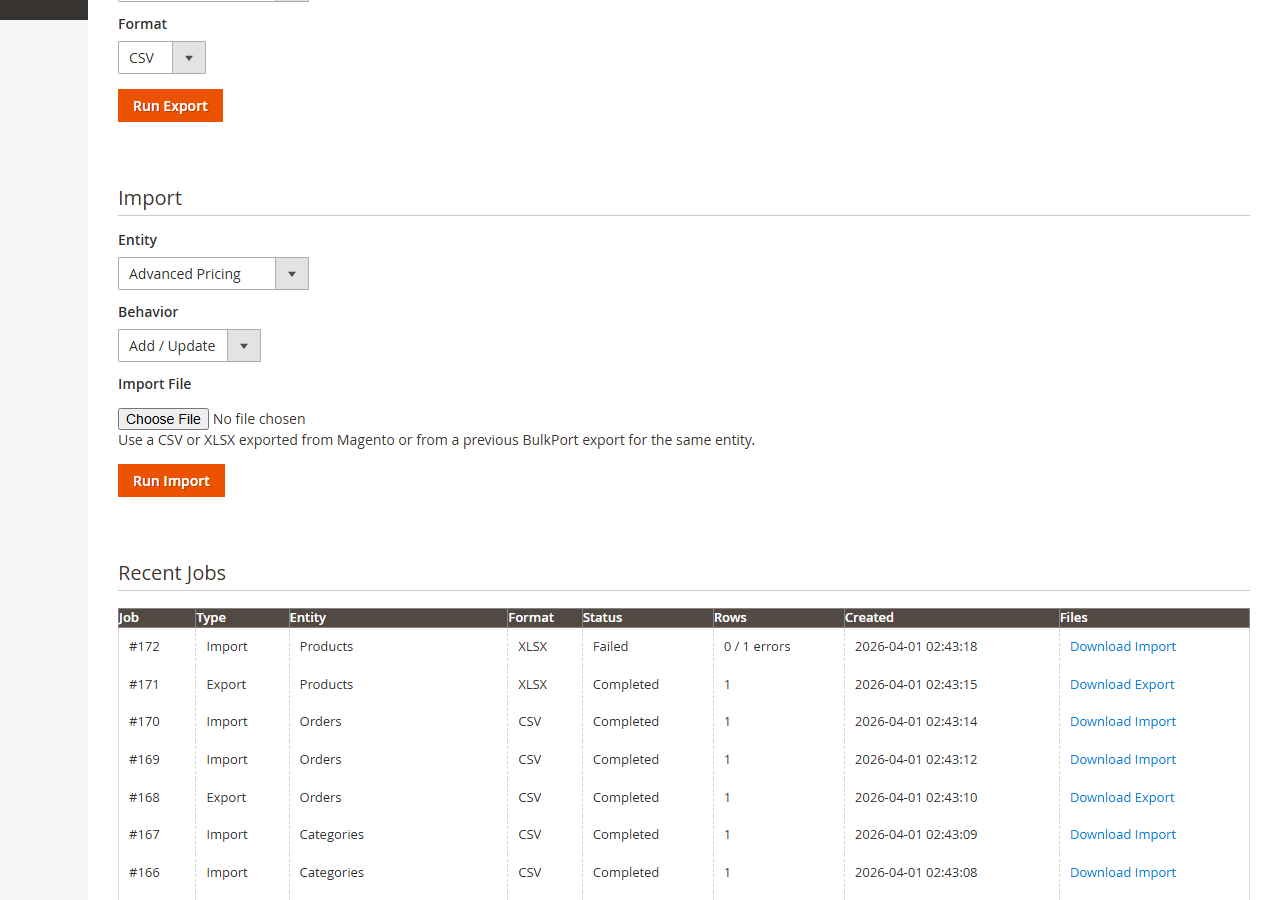
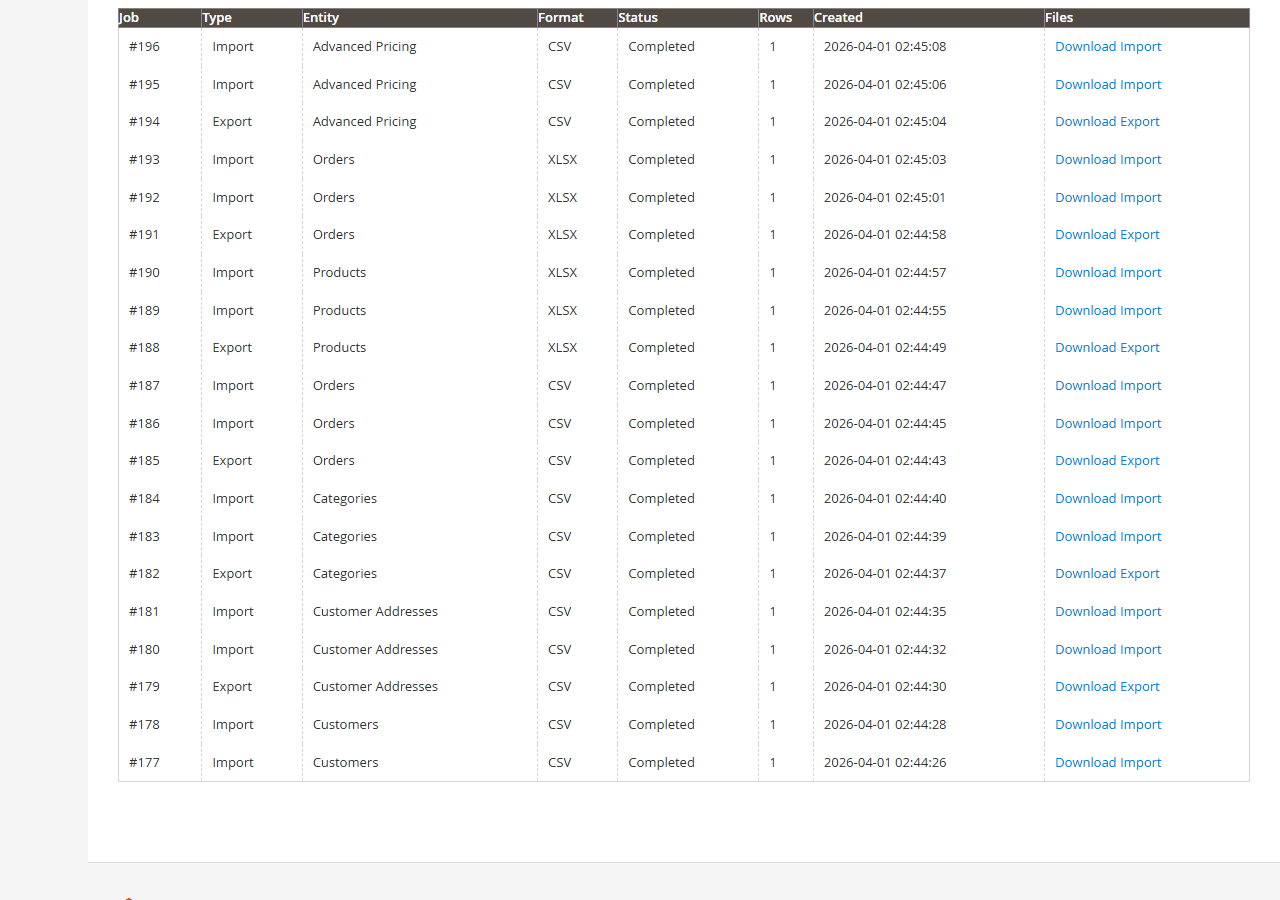
These are real product screens from the extension. They give prospects something concrete to evaluate: dashboard status, import/export controls, recent jobs, and job outputs.
New: Delivery Slots Lite
Let shoppers choose a delivery or pickup date, a time window and a pickup location at checkout. You control lead times, closed days, blackout dates, same-day cut-offs and how many orders each day and slot can take.
Capacity is checked again before the order is placed, so full slots can't be booked from a stale page.
Date, slot and pickup location show in the admin order view, order grid, customer account and order emails.
Runs inside your store. No subscriptions, no maps, no carrier APIs.
On the Adobe Commerce Marketplace until 31 January 2027. Magento Open Source and Adobe Commerce (on-prem) 2.4, standard checkout.
New for Shopify: Safety Stock Shield
Safety Stock Shield for Shopify: keep a stock buffer for wholesale and shop-floor orders while products stay live. Free for up to 25 products.
Checkout is blocked once stock reaches your reserved buffer, so units held for wholesale or the shop floor aren't sold online.
No hiding or unpublishing products to protect stock.
Up to 25 products or variants, with checkout blocking, an event log and CSV bulk edit. Paid plans from $19/month.
New for Shopify: Rowquay
Rowquay imports and exports products, customers and orders, and checks every file before anything is saved. Free plan available; Pro is $9.99/month with a 7-day free trial.
Import and export products (including variants), customers and orders. Imports accept CSV, XLS, XLSX and JSON; exports are CSV or Excel.
Every file is validated first, so problems show row by row before a single change reaches your store.
Each job keeps an error report. Download it, fix the flagged rows and run the job again.
Large files run in the background with progress, and finished jobs have a downloadable report. Save mapping templates and export profiles for repeat jobs.
Pricing
One-off marketplace prices, with optional managed setup for teams that want the first workflow running correctly.
$89
One-off purchase on the Adobe Commerce Marketplace. Same price for every edition.
Buy on Adobe Marketplace$99
Launch price on the Adobe Commerce Marketplace until 31 January 2027.
See Delivery Slots Lite$299+
Installation, configuration, worker path setup, and first smoke test.
Request install helpBuyer questions
Yes. The workflow is built around chunked uploads and worker processing rather than depending on one long browser request.
No. Agencies and implementers are a strong fit because BulkPort Pro gives them a repeatable way to support migrations, catalog maintenance, and first-customer rollout.
The workflow keeps job status visible and provides downloadable outputs or reports so teams can isolate what needs fixing.
Yes. The OpenCart sales page is available separately for stores that are not running Adobe Commerce.
Buy the extension through Adobe Marketplace, or request managed install help if you want the first workflow configured and smoke tested.