Let shoppers choose when, and how, they get their order.
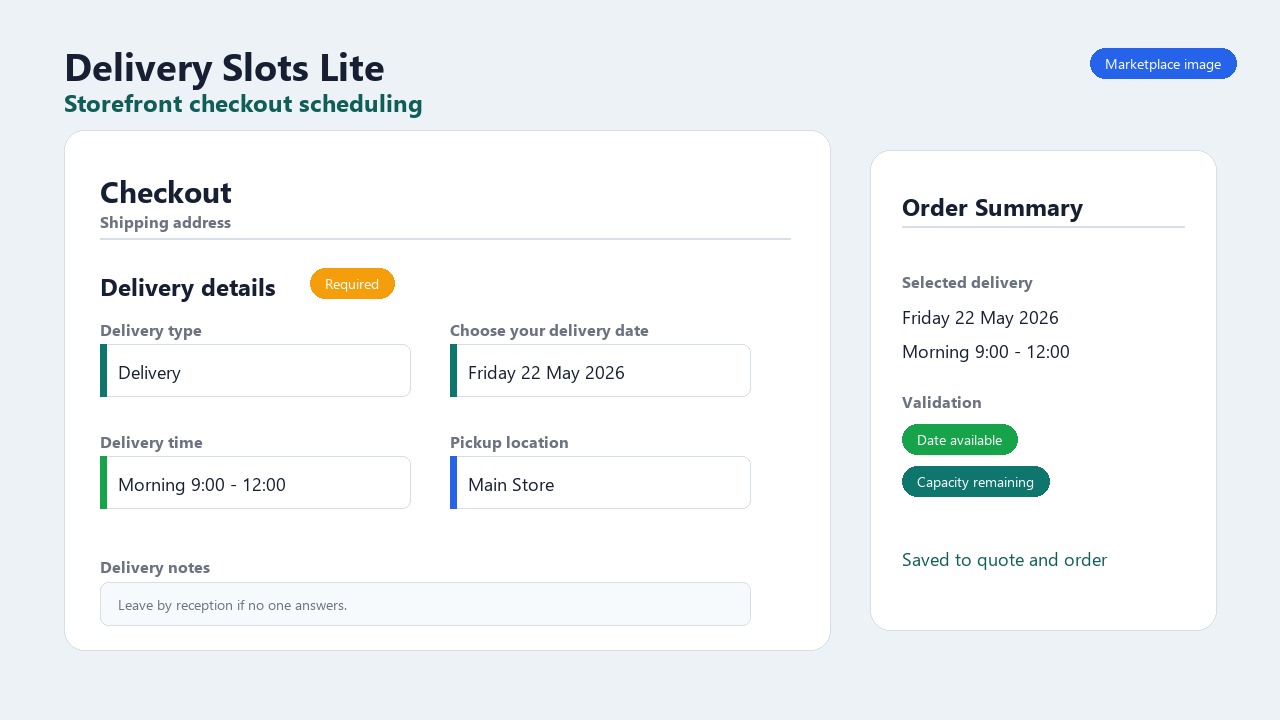
Delivery Slots Lite adds a delivery date picker, optional time slots and optional store pickup to the standard Magento checkout. Shoppers pick an available day and time window, or a pickup location, before they pay. You set the rules: lead times, closed days, same-day cut-offs and how many orders each day or slot can take.
- $99 launch price until 31 January 2027
- Delivery, pickup or both
- No SaaS fees, no external services
What shoppers get
A clear choice of day, time and pickup at checkout.
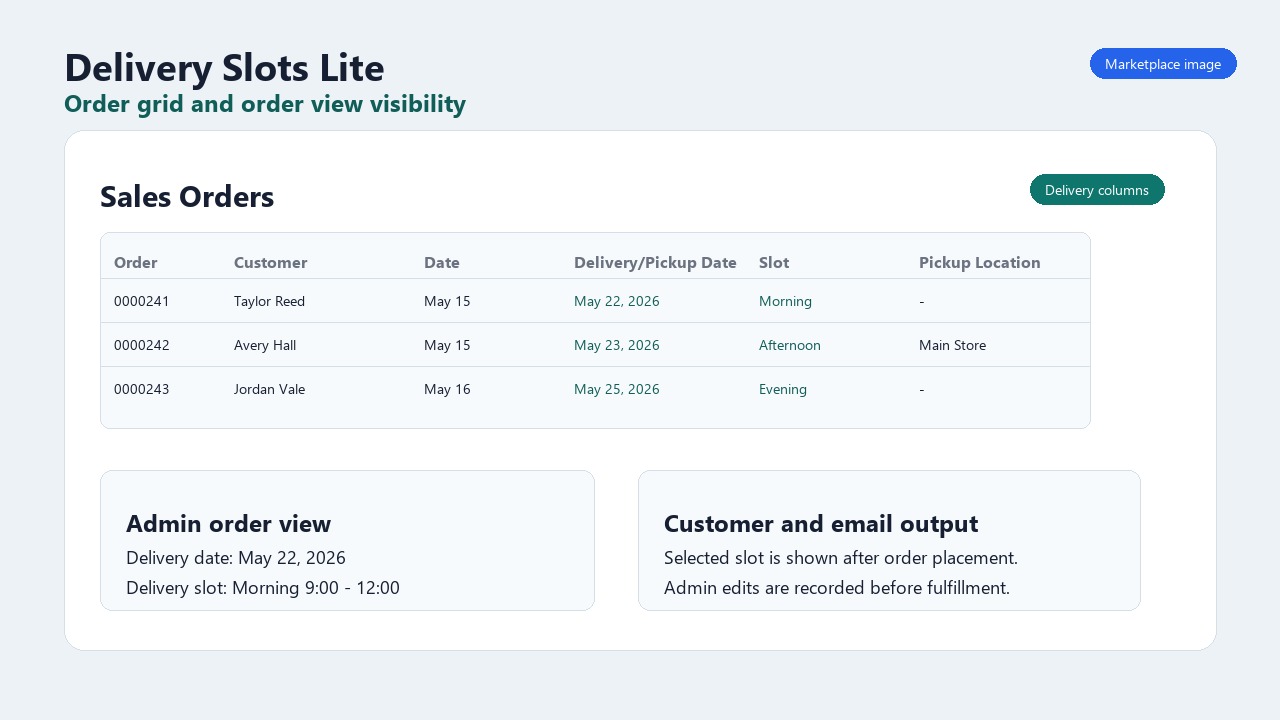
The selected date, time slot and pickup location are saved with the order. They appear in the admin order view, the sales order grid, the customer's account and the order confirmation email, so everyone works from the same booking.
What merchants control
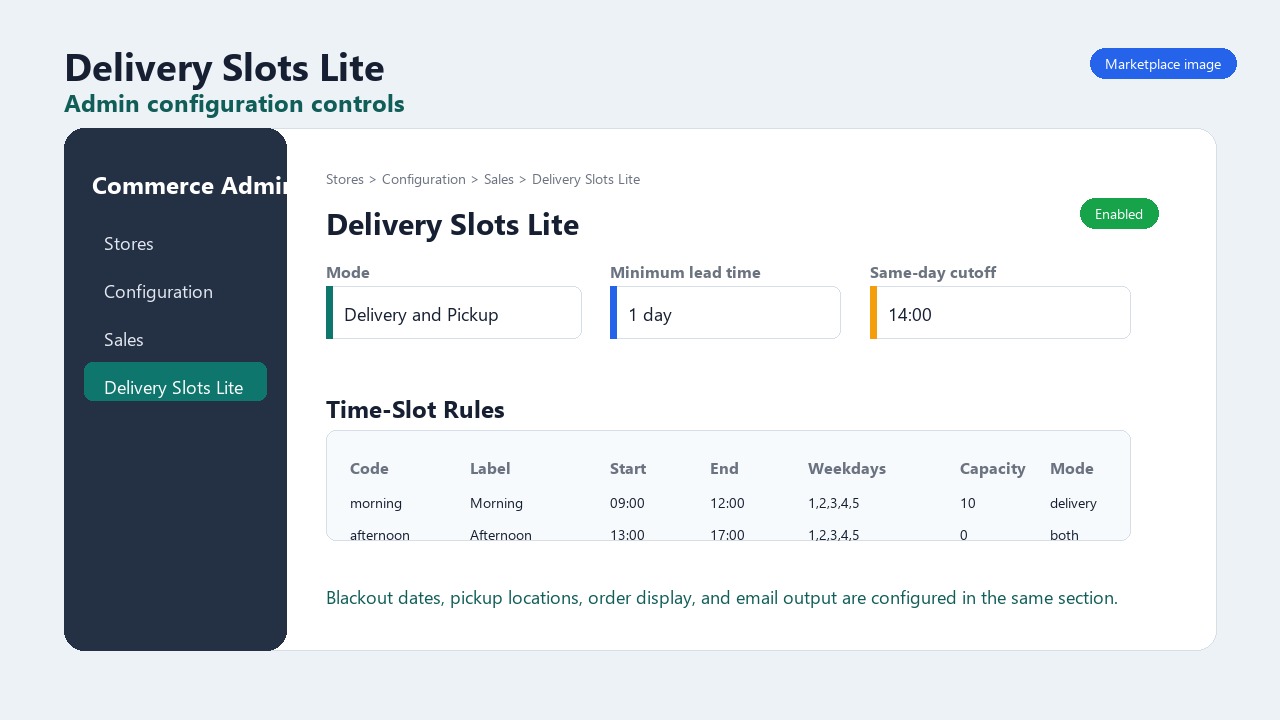
Your rules, your capacity.
Configure it under Stores > Configuration > Sales > Delivery Slots Lite, with multi-store configuration.
Built to be dependable
Bookings you can trust on a busy day.
No overselling from stale pages
Slots are re-checked on the server before the order is placed, so full slots can't be oversold.
Audited edits
Admins with the right permission can edit a booking, and every edit is logged in the order history.
Readable history
Orders keep readable slot labels even after you change your configuration.
No SaaS fees, no external services
Everything runs inside your store, with no subscriptions, no maps and no carrier API calls.
Screenshots
See it before you buy.
Compatibility
Check your store first.
Which Magento versions are supported?
Magento Open Source and Adobe Commerce (on-prem) 2.4. Versions 2.4.6 to 2.4.8 are supported.
Does it work with Hyvä Checkout or one-step checkouts?
It is built for the standard Magento checkout. If you use Hyvä Checkout or a one-step checkout, please test on your store before going live.
How do I install it?
Install with Composer (bulkport/module-delivery-slots) after buying on the Adobe Commerce Marketplace, or as a manual app/code install. The Installation Guide, Admin Reference and User Guide are attached to the marketplace listing.
Who is it for?
Local delivery stores, florists, bakeries, food shops, furniture sellers and wholesalers, click-and-collect merchants with one or more pickup locations, and agencies that need a small, maintainable checkout scheduling feature.
Give shoppers a delivery time they can count on.
$99 launch price on the Adobe Commerce Marketplace until 31 January 2027.